
On this page
To click faster, switch from normal clicking to a technique: jitter clicking gets most people to 10-14 clicks per second (CPS), butterfly clicking to 12-20, and drag clicking past 20 in short bursts. Normal clicking usually lands around 5-8 CPS, however hard you press.
Quick answer
Rest your arm on the desk, keep your fingers on the button, and learn jitter clicking first, since it works on any mouse. Practise in 5 to 10 minute sessions and check your progress on the CPS test. Stop if your hand or wrist starts to ache.
How Fast Is Normal?
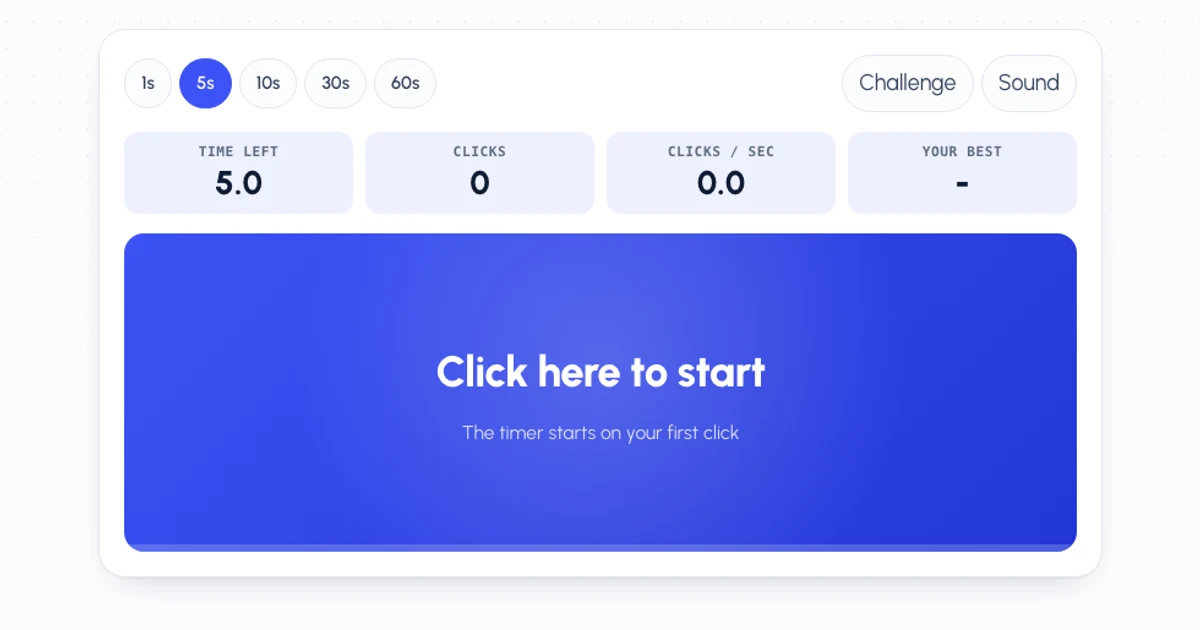
Before you train, find your starting point. Take the 10 second CPS test with your normal clicking, three times, and note the best score.
| CPS (10 second test) | Level | Usually |
|---|---|---|
| Under 5 | Warming up | Casual clicking |
| 5-8 | Average | Normal clicking |
| 8-10 | Fast | Quick normal clicking |
| 10-14 | Very fast | Jitter clicking |
| 14+ | Elite | Butterfly or drag clicking |
If you’re already at 8 or more with normal clicking, a technique is the only way to go much higher.
Set Up First
Get these right before you learn a technique. They help every style of clicking.
- Rest your forearm on the desk. A supported arm tires more slowly and shakes less, which matters most for jitter clicking.
- Use a claw or fingertip grip. Arch your fingers so only the tips touch the buttons. A flat palm grip is comfortable but slow.
- Keep your fingers on the button. Lifting them between clicks wastes movement.
- Check your mouse. Light buttons with a short travel are faster. Some mice also ignore very fast presses (a feature called debounce), which caps your score however fast you go.
4 Ways to Click Faster
1. Faster normal clicking (up to about 10 CPS)
Before you try a technique, make your normal clicking more efficient. Click with the tip of your index finger, move only from the knuckle, and press only far enough for the button to register. Aim for an even rhythm rather than bursts. It’s the easiest option on your hand, and it’s allowed everywhere.
2. Jitter clicking (10-14 CPS)
-
Tense your forearm
Tighten the muscles in your forearm and wrist a little, keeping your finger on the button.
-
Let the shake do the clicking
Your hand starts to vibrate. Let that vibration press the button, rather than moving your finger on purpose.
-
Keep it short
Hold it for 5 to 10 seconds at a time. Jitter clicking is tiring and makes aiming harder.
Practise on the jitter click test.
3. Butterfly clicking (12-20 CPS)
Put your index and middle fingers side by side on the left button and tap them one after the other, like drumming on a table. Each finger does half the work, so you can keep it up for longer than jitter clicking. It takes a few days before the two fingers stop tripping over each other. Full steps are on the butterfly click test.
4. Drag clicking (20+ CPS)
Drag a dry fingertip across the button so the friction makes it bounce, registering many clicks in one swipe. It needs a mouse with a textured, springy button and only works in short bursts, but it’s the fastest human technique. Try it on the drag click test.
Techniques Compared
| Technique | Typical CPS | Learn in | Downside |
|---|---|---|---|
| Normal | 5-10 | Already can | Hits a ceiling |
| Jitter | 10-14 | Minutes | Tiring, harder to aim |
| Butterfly | 12-20 | A few days | Some servers restrict it |
| Drag | 20+ | Depends on your mouse | Needs the right mouse, short bursts |
If you only learn one, make it butterfly. It takes longer to pick up than jitter, but it’s easier on your arm and you can still aim while you do it. For Minecraft PvP, most players use jitter or butterfly clicking for that reason. Drag clicking is better for bridging and short bursts. The Kohi click test is the classic way to compare PvP clicking.
A Practice Routine
Ten minutes a day works better than one long session a week. A simple routine:
-
Warm up (2 minutes)
Two 10 second tests with normal clicking, to loosen your hand.
-
Technique bursts (5 minutes)
Five 5 second tests with your technique, resting between each one.
-
Stamina (2 minutes)
One 30 second test. Your CPS will drop towards the end; the goal is to make it drop less.
-
Write down your best
The tests save your best score in your browser, so you can see your progress from day to day.
Look After Your Hand
Fast clicking puts a lot of load on small muscles and tendons. Jitter clicking in particular keeps your forearm tense. Keep sessions short, shake your hand out between tests, and stop straight away if you feel pain, tingling or numbness. If that keeps happening, see a doctor rather than pushing through it.
Is Clicking Faster Allowed?
Normal clicking and jitter clicking are fine on almost every server. Some Minecraft servers limit butterfly and drag clicking, because they can register as double clicks, and some cap CPS altogether. Check a server’s rules before you use them in ranked play.
Auto clickers are a different matter: many online games and servers ban them, and using one there can get your account banned. Use one for idle games, single-player grinding and repetitive work, not to win PvP.
Frequently Asked Questions
What’s the fastest way to click?
Drag clicking, which can pass 20 CPS in short bursts. For clicking you can keep up and aim with, butterfly clicking is the fastest.
How long does it take to click faster?
Jitter clicking takes minutes to pick up. Butterfly clicking usually takes a few days of short sessions before your fingers find a rhythm.
Does my mouse make me click faster?
It can. Light, short-travel buttons help every technique, drag clicking needs a textured button, and a mouse with strong debounce ignores clicks that come too fast.
How do I click faster on a laptop trackpad?
Trackpads are slower than a mouse button. Turn on tap to click and tap with your index and middle fingers one after the other. Don’t tap with both at once, which usually counts as a right click. For real speed, plug in a mouse.
Is fast clicking bad for your hand?
In short sessions, it’s generally fine. Long sessions of jitter clicking strain your forearm and wrist. Take breaks, and stop if it hurts.