On this page
An auto clicker for Android (also called an automatic tapper) taps the screen for you, so you don’t have to hit the same spot hundreds of times in an idle game or a repetitive app. IO Auto Clicker App is our free one, for Android phones and tablets.
Quick answer
Install IO Auto Clicker App from Google Play, allow the Accessibility permission, and tap Start. A floating panel appears: drag the target onto the spot you want tapped, then press play. It works on Android 10 and later, and doesn’t need root.
Get it on Google PlayAs featured on










IO Auto Clicker for Android
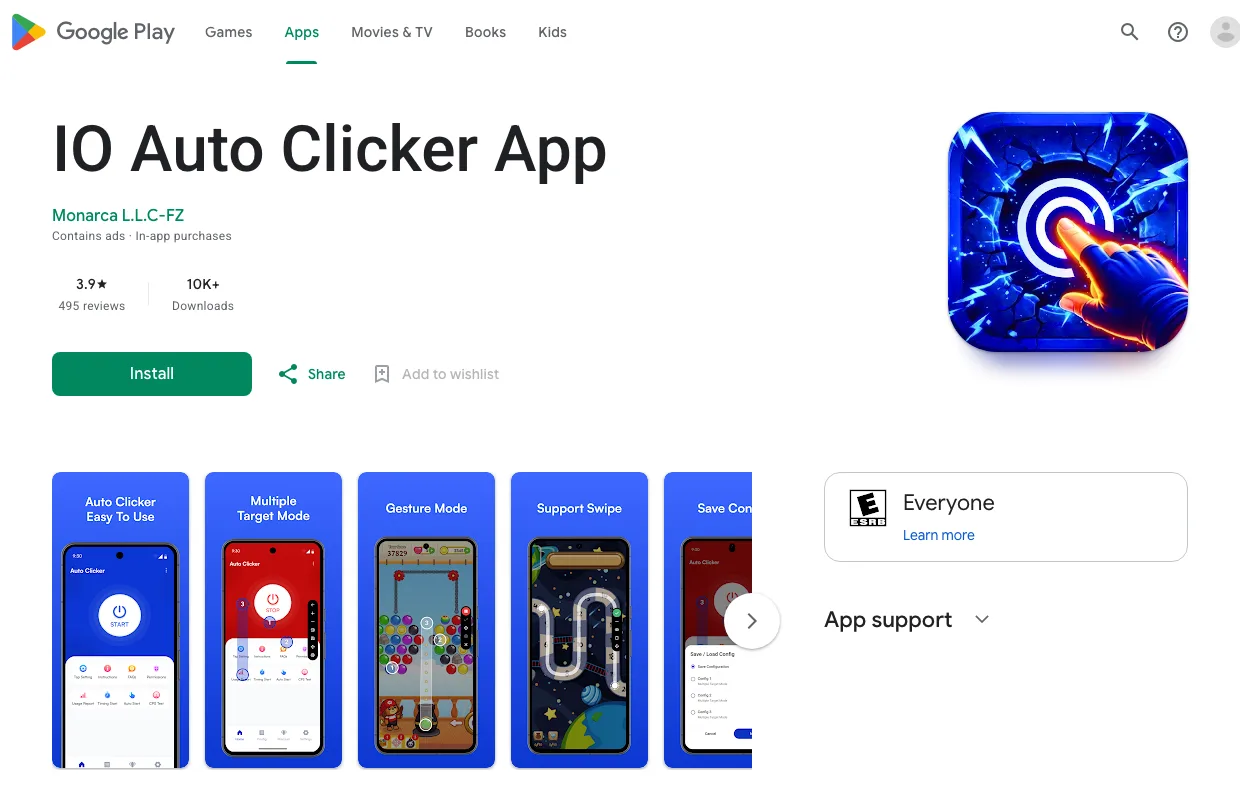
IO Auto Clicker App is made by Monarca, the team behind IO Auto Clicker for Windows and Mac. It’s free to download, with ads and an optional Pro upgrade.
- Price
- Free · optional Pro
- Requires
- Android 10 or later
- Google Play
- 3.9 ★ · 10K+ downloads
- Root
- Not needed
How to Use an Auto Clicker on Android
-
Install the app
Open the IO Auto Clicker App listing on Google Play, or search for “IO Auto Clicker App”, and tap Install.
-
Allow the permissions
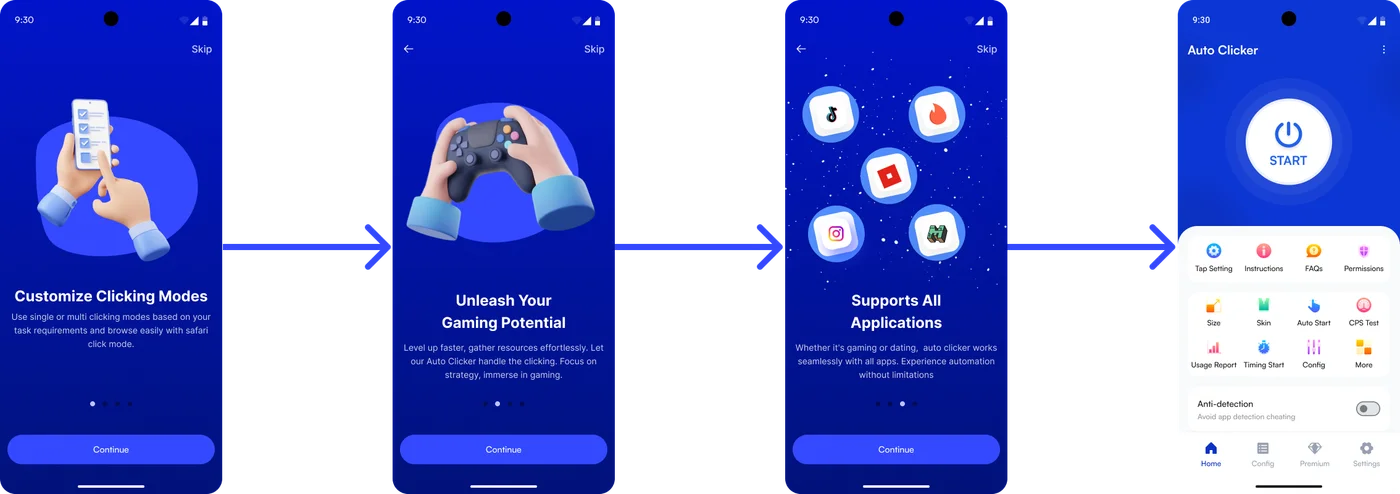
Open the app and follow the onboarding screens. Turn on the Accessibility service. Android only lets apps tap and swipe through it. Then allow the app to display over other apps, so the floating panel can appear.
-
Set the tap interval
Tap Tap Setting on the home screen to choose the interval between taps.
-
Start the floating panel
Tap the big Start button. The floating panel appears on the side of the screen, along with a target you can drag anywhere.
-
Open your game or app and press play
Switch to your game, drag the target onto the button you want tapped, and press play on the panel. Press it again to pause, or stop the service from the panel when you’re done.
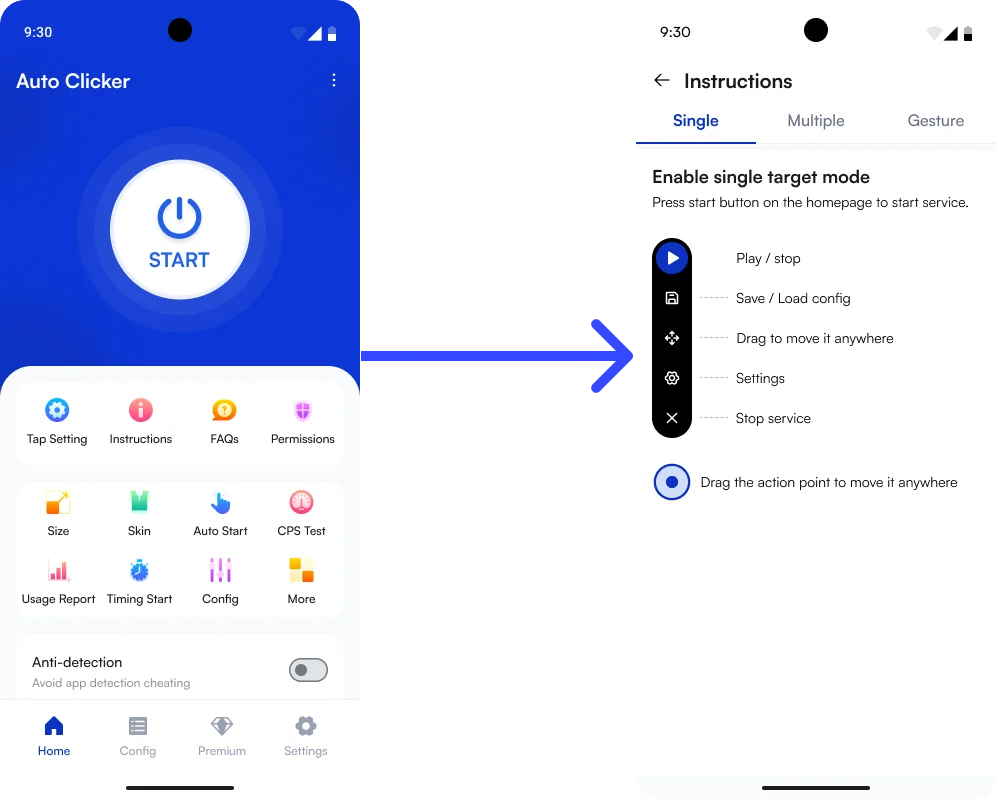
Single, Multi-Target and Gesture Modes
IO Auto Clicker has three ways to tap, each explained in the app’s Instructions:
- Single target: one target, tapped over and over. Best for clicker games and anything with one button.
- Multi-target: add several numbered targets with the + button, and the app taps them in order. Use it when a game makes you press a few buttons one after another. You can also tap several points at the same moment.
- Gesture: automate swipes as well as taps, for games and apps that need a drag or a scroll.
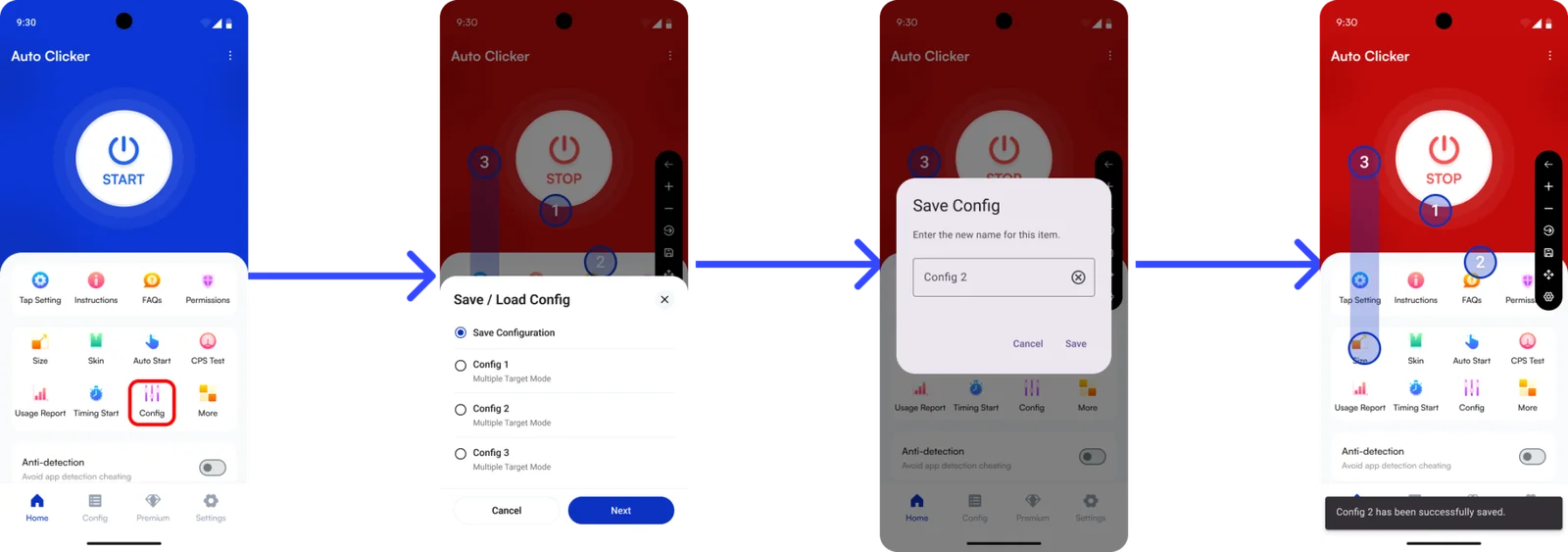
Set up a pattern you like? Save it as a config from the floating panel, give it a name, and load it again next time. You can also export configs and import them on another device.
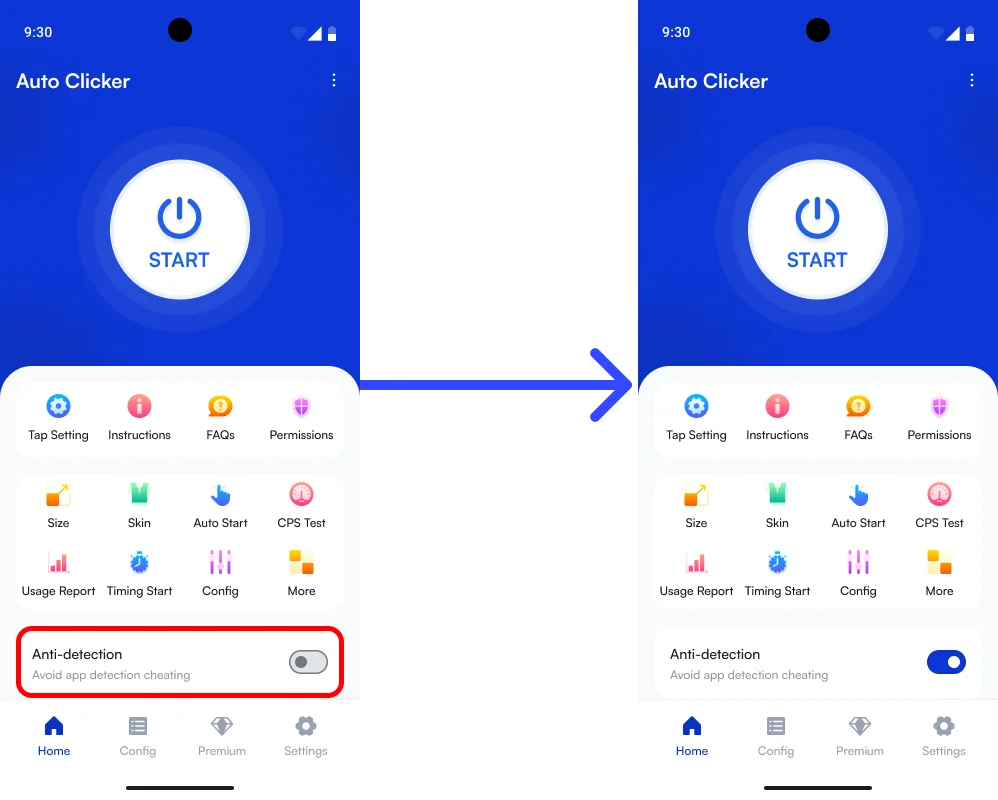
Anti-Detection Mode
The home screen has an Anti-detection switch (“Avoid app detection cheating”). Turn it on before you start, for apps that react to automated tapping.
Play fair: no auto clicker can guarantee a game won’t notice it. Many online games ban auto clickers in their rules, so check them first. Our Roblox and Minecraft guides cover those games.
Everything IO Auto Clicker Can Do
- Floating panel: play, pause, save and load configs, and change settings without leaving your app.
- Timing Start: schedule tapping to begin after a delay.
- App Auto Start: open the auto clicker automatically when you launch your favourite apps.
- Save, import and export configs for different games, and move them between devices.
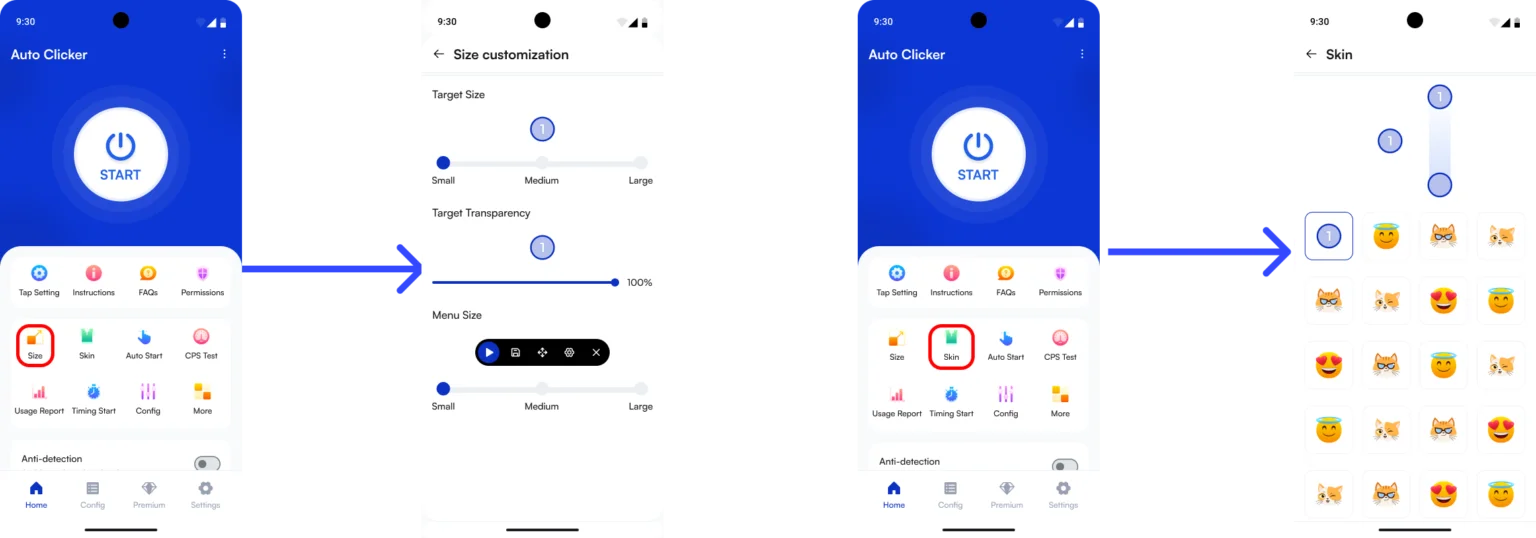
- Size and Skin: change the target size, target transparency and menu size, and pick a target skin.
- Usage Report: your total taps, most-used mode and most taps in a session.
- Battery optimization: stops Android from closing the app in the background to save power.
- Built-in CPS test to check your own tapping speed.
- Rewards center: earn 1 coin for each daily check-in and 2 coins for watching an ad, then swap 8 coins for 3 days of Pro.
- Any Android brand: Samsung, Google Pixel, Xiaomi, OnePlus, Motorola and the rest.
Best Auto Clicker Settings for Android Games
| Use | Mode | Interval |
|---|---|---|
| Idle and clicker games | Single target | 50-100 ms |
| Roblox simulators | Single target | 100 ms |
| Collecting in several spots | Multi-target | 200-500 ms |
| Scrolling feeds or pages | Gesture | 2-5 s |
If a game misses taps or starts to lag, make the interval longer. For more on intervals and clicks per second, see our auto clicker settings guide.
Troubleshooting
It stops after a while or in the background
Android closes background apps to save battery, and Xiaomi, Oppo, Vivo and Samsung phones are the worst for it. Open Permissions in the app and allow Battery optimization and Auto start.
The Accessibility permission keeps turning off
Android can switch it off after an update, a restart or a crash. Turn it back on under Permissions, and allow Battery optimization so it happens less often.
The floating panel doesn’t appear
Allow the Overlay (display over other apps) permission under Permissions, then press Start again.
Taps don’t register in a game
Make the interval a little longer, and check the target sits right on the button. Some games ignore taps from accessibility apps altogether, and then no auto clicker will work there.
Other Auto Clickers for Android
If IO Auto Clicker isn’t right for you, these are popular alternatives on Google Play:
- Click Assistant: an auto clicker with multi-point tapping and swipe gestures, and adjustable loops.
- QuickTouch: a lightweight auto clicker with a floating control panel, for clicker games like Cookie Clicker.
- MacroDroid: a general automation app, not a game clicker. It’s better for routines across apps and settings, with a steeper learning curve.
On other devices, use IO Auto Clicker for Windows, for Mac, the Android app on a Chromebook, or Apple’s built-in Switch Control on iPhone and iPad.
Frequently Asked Questions
Is there an auto clicker for Android?
Yes. IO Auto Clicker App is free on Google Play. It taps one spot or several, and can swipe too, from a floating panel over any app.
Do I need to root my phone?
No. IO Auto Clicker uses Android’s Accessibility service to tap, so it works on any phone running Android 10 or later without root.
Is IO Auto Clicker free on Android?
Yes, it’s free to download and use, with ads. Pro removes ads, and you can unlock 3 days of Pro for free with coins from the rewards center.
What does anti-detection do?
It’s a switch on the home screen for apps that react to automated tapping. It can’t guarantee a game won’t notice, so always follow each game’s rules.
Can it tap several spots at once?
Yes. Multi-target mode taps several numbered points in order, and you can also tap several points at the same time.
Is an auto clicker safe for my phone?
Yes, when you install it from Google Play. Skip APKs from random websites, because they can carry malware. The Accessibility permission is what lets the app perform taps and swipes.